TEMPOGLIDE · PLAYER FOR MAC
Your backing tracks,
at your tempo.
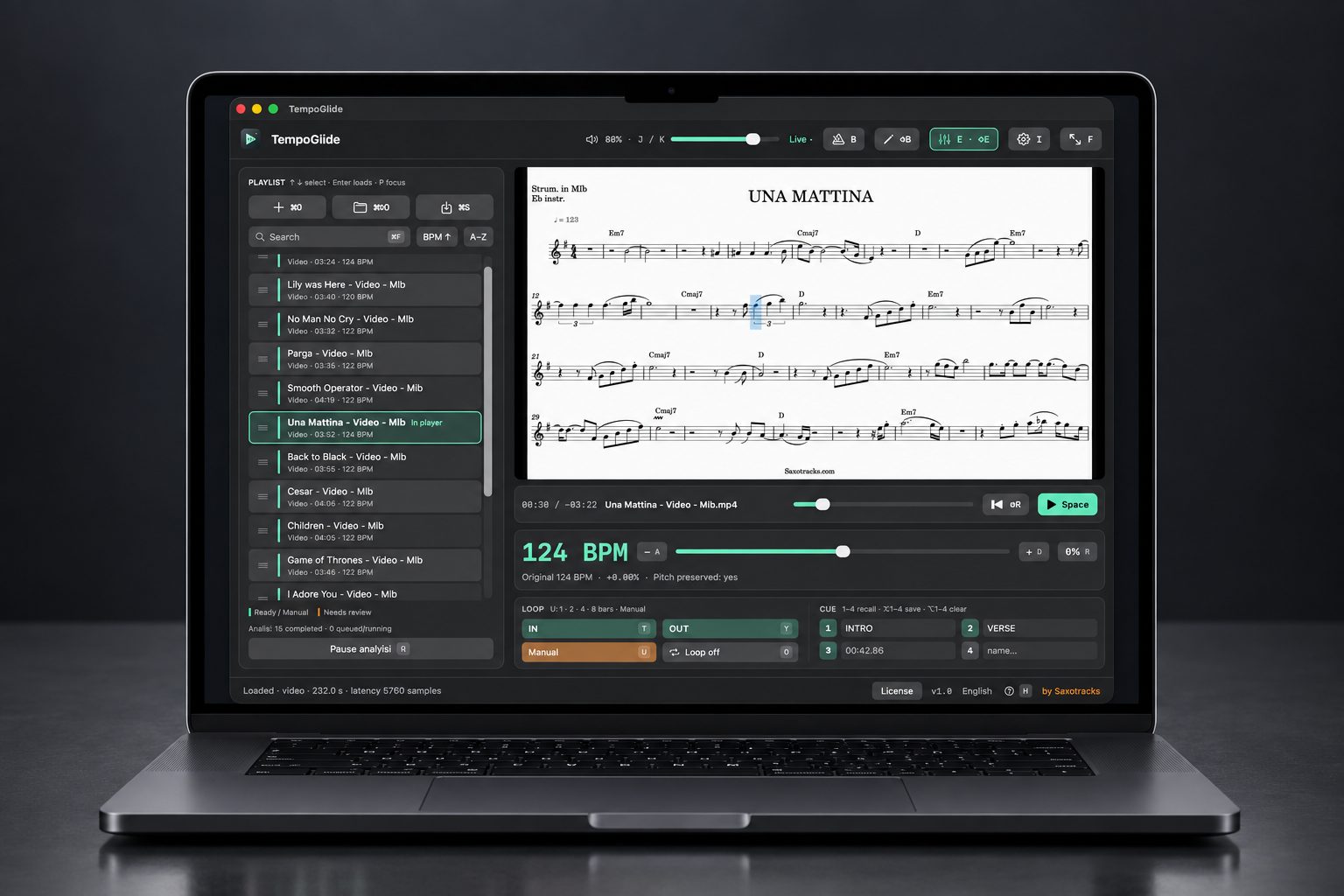
A player for Mac that slows down or speeds up any audio or video backing track by up to 15% without changing pitch. Including those you purchased on SaxoTracks, the score stays in sync!
It works with any audio or video file on your Mac, not just backing tracks purchased here.
Discover TempoGlideFor practice. For your performances.
WATCH. LISTEN. PLAY.
Three ways to work with your backing tracks.
These demos show TempoGlide in action: press Play and hear the difference.
01 TEMPO CONTROL
The right tempo for you.
Slow down a backing track to practise a tricky passage, or speed it up to give your performance more energy. Adjust playback speed from −15% to +15%: the original pitch stays unchanged.
02 LOOP
That passage. One more time.
Choose the start and end points and repeat the passage you want to master. Combine looping with a slower tempo, then gradually return to the original speed.
03 EQ
Your backing tracks, ready for live performance.
Every venue has a different sound system and acoustics. Use the EQ to adapt your backing tracks to the venue’s sound system during live performance, without modifying the original files.
Your backing tracks stay as they are.
Open the audio and video files you have already downloaded in TempoGlide. Tempo control, looping and EQ affect playback: your original files remain unchanged.
TempoGlide is a separate Mac app and is not included with SaxoTracks songs or packs.
THE NEXT STEP
Discover the player. Then choose your tempo.
Find information, downloads and licensing on the official TempoGlide website.
Discover TempoGlide Or explore SaxoTracks backing tracks →